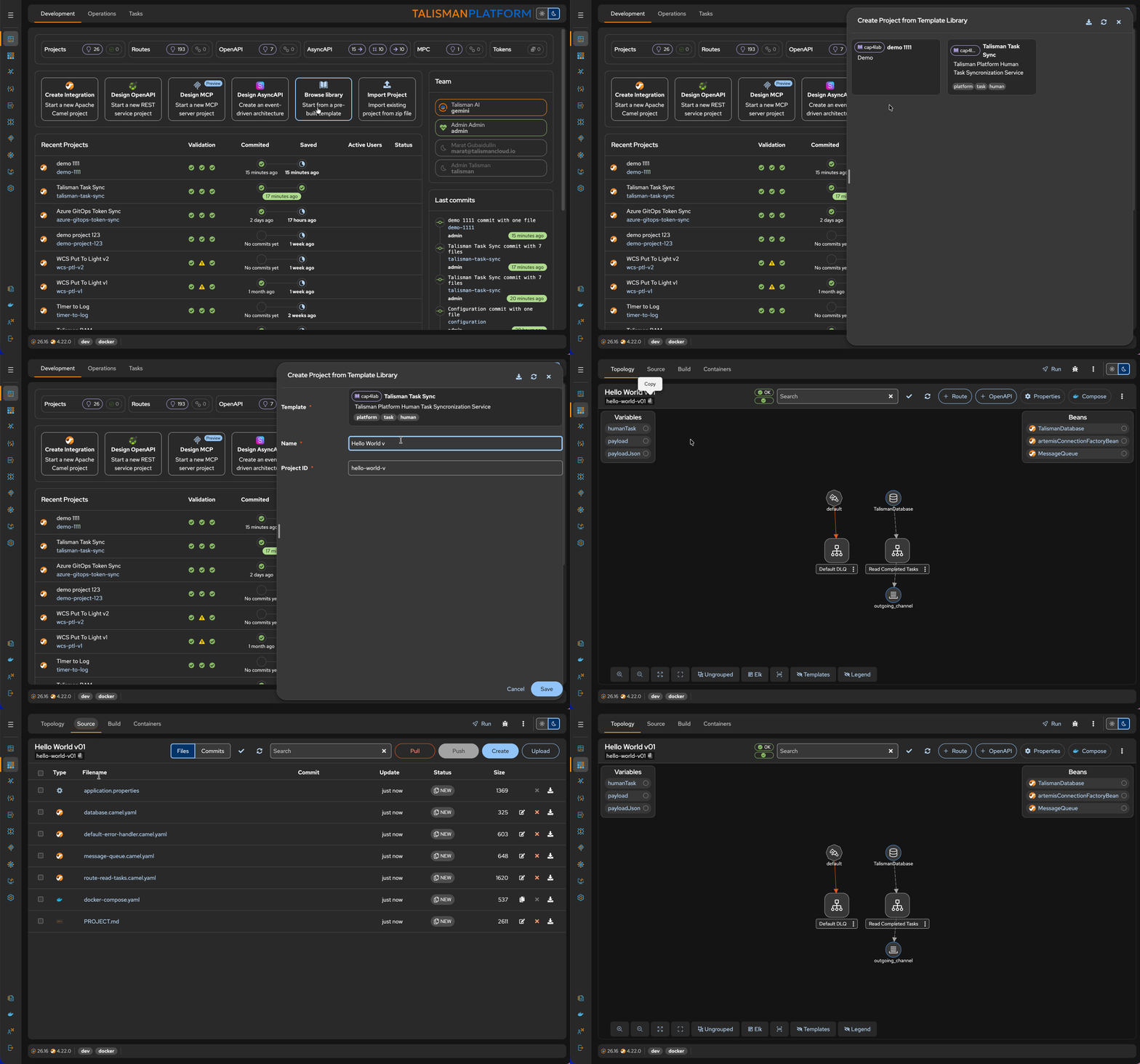
Libraries
A Library is a collection of pre-defined integration solutions — ready-to-run projects, project templates, or examples — that can be reused when creating new projects. The Talisman Platform ships with its own Library, and organizations can publish and connect their own.
Talisman Platform (Commercial Accelerators)
Libraries are a proprietary Development Accelerator available only in the Talisman Platform and require an active subscription. They are not part of the open-source Apache Camel Karavan core.
Renamed in this release
Libraries were previously called Solution Catalogs. The concept is unchanged — only the terminology and the configuration variable names (TALISMAN_LIBRARY__*) were updated.
Why teams use Libraries:
- Internal Standardization: Helps maintain consistency across integration projects within an organization.
- Increased Reusability: Facilitates the reuse of integration solutions, saving time and effort.
- Accelerated Knowledge Transfer: Speeds up the transfer of knowledge and best practices within teams.
Project Types
A project inside a Library can contain any artifact supported by Talisman — Camel YAML routes, Java classes, Groovy scripts, properties, deployment manifests. Depending on how complete it is, it plays one of three roles:
Modules
Fully developed integration projects that can be built, deployed and run immediately. These projects address common integration scenarios and can be customized to meet specific requirements.
Templates
Starting points for new integration projects, providing a structured framework that can be tailored to fit individual needs.
Examples
Demonstrations of how to implement various integration patterns and techniques. These are useful for learning and experimenting with different approaches to integration.
Talisman Library How-to
Integration teams accumulate artifacts that are needed in every project: a handful of Camel YAML routes, a few Groovy scripts, a set of Java Processor and AggregationStrategy implementations, and a common application.properties baseline.
These artifacts can be distributed as Library projects. Because the artifacts are copied into the new project as files, your custom code is present right from the start and stays editable per project. A single Library can hold multiple projects.
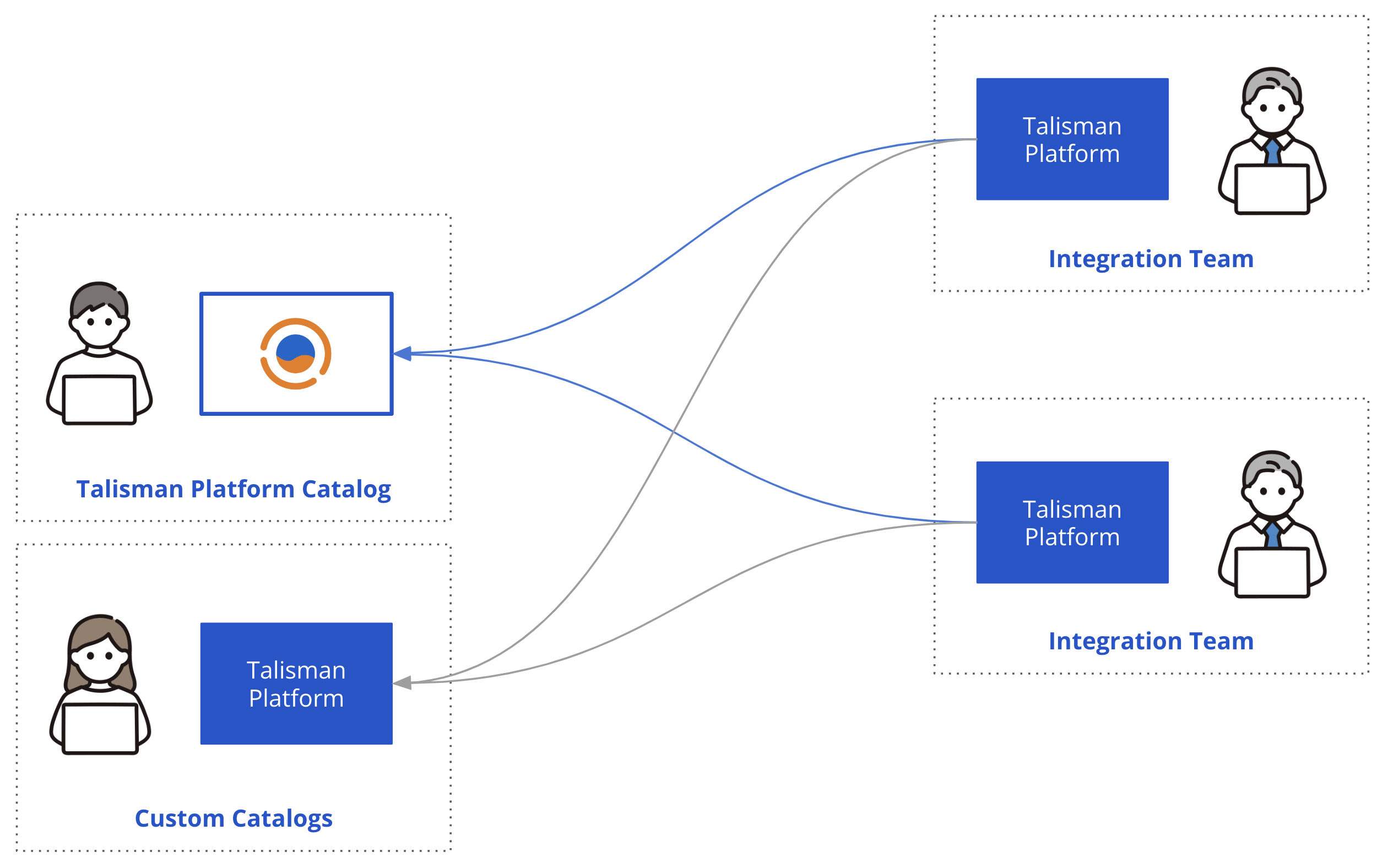
A Library is published by a provider and consumed by one or many Talisman installations:
graph LR
    subgraph Provider
        TP[Talisman instance] --> PR[(library-xxx.git)]
    end
    PR --> TC
    subgraph Consumer
        TC[Talisman instance] --> P[New project]
    end
Publishing a Library (Provider)
- Install an internal Talisman instance connected to the Git repository that will host the Library, for example
https://github.com/ProviderName/library-xxx.git. - Create and build the project(s) that will serve as templates.
-
Make sure each project declares the
talisman.library.descriptionproperty in itsapplication.properties. Projects without this property are not exposed as Library projects: -
Push the project(s) to the repository.
Library is an ordinary Git repository.
Consuming a Library (Client)
Configure the Library connection in the Talisman deployment resource. The identifier in the middle of the variable name (CUSTOMLIBRARY below) groups the settings of one Library — repeat the block with a different identifier to connect several Libraries.
Add the variables to the talisman deployment (store the credentials in the talisman Secret):
env:
  - name: TALISMAN_LIBRARY__CUSTOMLIBRARY__VENDOR
    value: "ProviderName"
  - name: TALISMAN_LIBRARY__CUSTOMLIBRARY__REPOSITORY
    value: "https://github.com/ProviderName/library-xxx.git"
  - name: TALISMAN_LIBRARY__CUSTOMLIBRARY__USERNAME
    valueFrom:
      secretKeyRef:
        name: "talisman"
        key: "library-username"
  - name: TALISMAN_LIBRARY__CUSTOMLIBRARY__PASSWORD
    valueFrom:
      secretKeyRef:
        name: "talisman"
        key: "library-password"
| Variable | Description |
|---|---|
VENDOR |
Display name of the Library provider |
REPOSITORY |
HTTPS URL of the Library Git repository |
USERNAME |
Git user with read access to the repository |
PASSWORD |
Password or access token for that user |
Note
The consumer instance needs read access only.
After a restart, the Library projects are listed alongside the built-in ones when, and the selected project's artifacts are copied into the new project.