Multi-Environment
Overview
You build and deploy the same integrations consistently across development, testing and production. Each environment keeps its own configuration, and you can customize the build.
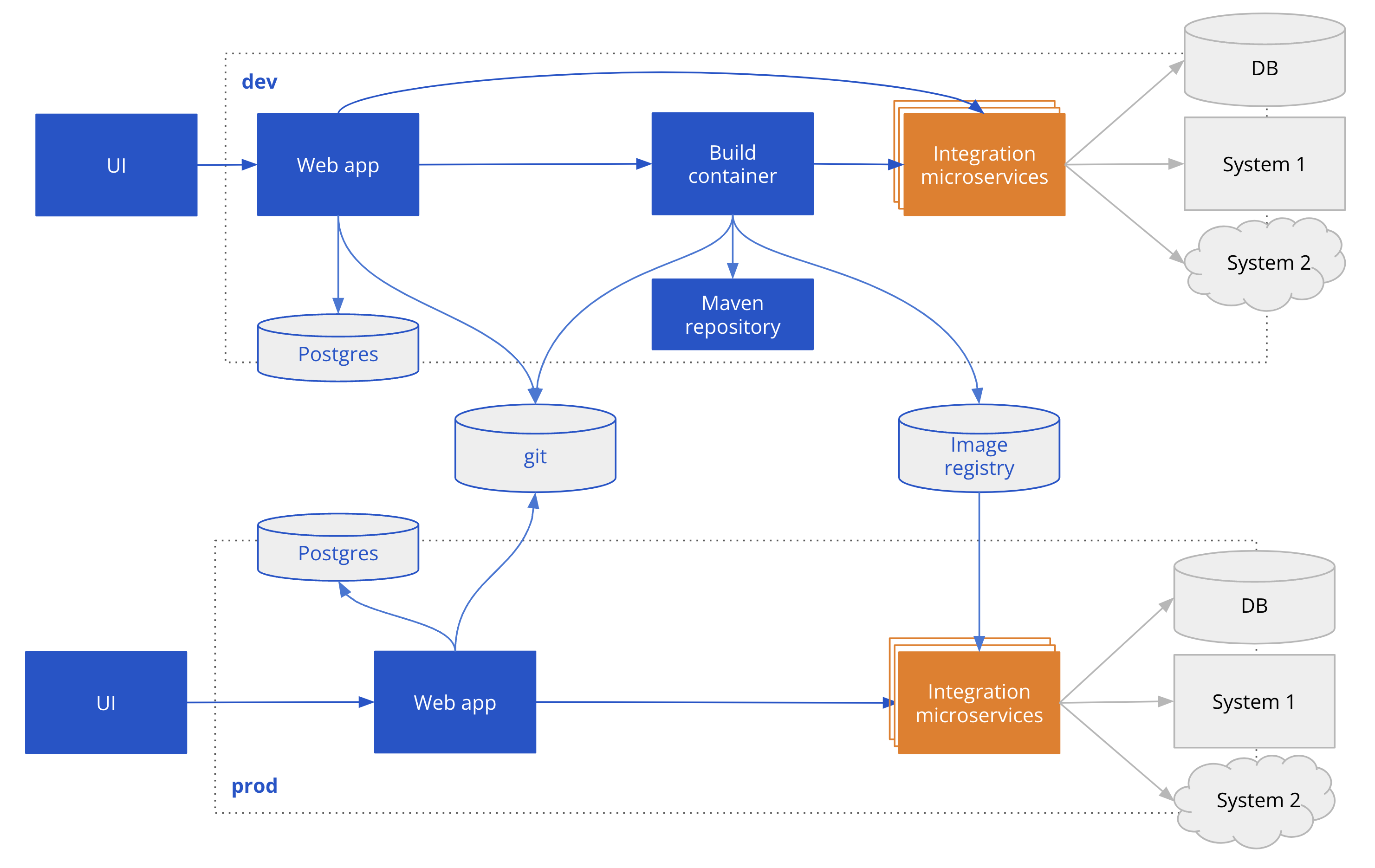
Environments
The Talisman Platform supports multiple environments:
- dev (development)
- test (testing)
- prod (production)
Environment-Specific Configuration
Kubernetes Resources
The Talisman Platform allows you to store and use environment-specific configurations for Kubernetes resources. Each environment (dev, test, prod) can have its own set of configurations tailored to its specific needs.
Docker Containers
Similarly, environment-specific configurations for Docker containers can be stored and utilized. This ensures that each environment operates with the appropriate settings and resources.
Build and Deploy
How a project reaches each environment depends on your deployment option.
With Studio Web on Server and VS Code with Server Build, each environment has its own Talisman Server:
- dev: the dev Server builds the project (Server Build) and deploys
kubernetes.yaml, withpatch.yamlif present. - test and prod: the Server of each environment reads
mainand deploys<env>.kubernetes.yaml, with<env>.patch.yamlif present. On Docker it deploys<env>.docker-compose.yaml. It doesn't build, and it shows only the projects that have a file for its environment.
With VS Code with CI/CD, your pipeline builds and deploys every environment from the same files (CI/CD Build).
Customization
The build script (build.sh in the Configuration project) and the pipeline templates are stored in your Git repository. Edit them to fit your organization's requirements.